What is it?
The new
Enrichment tab gives customers a single place to manage enrichment across their CRM. It includes:
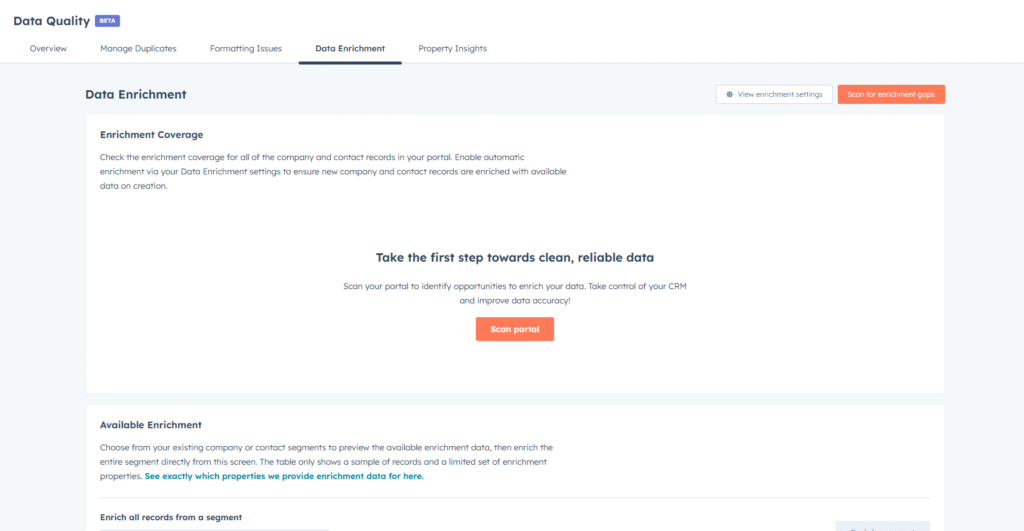
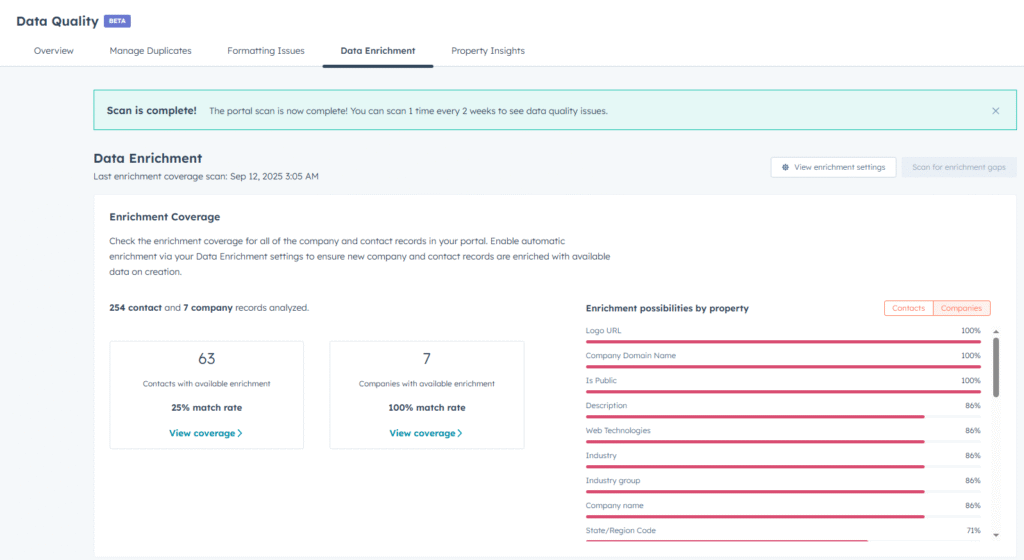
- Data Test: Run a full-portal scan to check enrichment coverage across all companies and contacts in your CRM and review property-level coverage.
- Available Enrichment: Preview the enrichment data we have for any list or segment in your CRM, then enrich the entire list with a single click.
This makes it easier to see where enrichment is available, evaluate coverage, and quickly backfill or update records.
Why does it matter?
Customers can now clearly see how much enrichment data is available in their portal and where coverage gaps exist. This helps them evaluate data quality, identify opportunities to update older lists, and ensure contact and company records are always accurate and actionable. With enrichment now included in the core seat, customers can maximize value without worrying about additional credits.
How does it work?
Navigate to
Data Management > Data Enrichment
From here, you can:
- Run a Data Test: Review enrichment coverage for all companies and contacts in your portal. Each portal can run a new test every two weeks.
- Check Property Coverage: See which standard properties have enrichment data available.
- Enrich Segments: Select any existing segment, preview the enrichment data, and apply enrichment to backfill older records or catch up on missed data. Segments can also be re-enriched every two weeks as new data becomes available.
Note: Enriching older records will update properties like industry or job title, which may trigger workflows if those properties are used in automation. For continuous updates, the recommended best practice remains turning on
automatic enrichment in your data enrichment settings so that all new records are enriched by default.
Who gets it?
All hubs and tiers