Have you ever forgotten to record an important meeting?
The Zoom app for HubSpot now has the ability to enable automatic recording of meetings in Zoom directly from HubSpot. When you turn on "Enable Auto-Recording of Meeting in Zoom" from your integration settings, HubSpot will activate this setting in your Zoom account on your behalf, ensuring all your meetings are recorded without manual intervention.
By switching on “Enable Auto-Recording of Meeting in Zoom” from your Integration setting page in HubSpot, you will give HubSpot permission to activate the 'auto-record' setting in your Zoom account on your behalf - this will mean that All your Zoom Meetings will be recorded and synced to HubSpot, without you needing to manually record every meeting. This will happen seamlessly for you.
Why does it matter?
Never miss capturing important meeting details again. With auto-recording enabled, all your Zoom meeting recordings and transcripts automatically sync to your HubSpot account. This helps you stay organized, improve team collaboration, and maintain a complete record of customer conversations — all without having to remember to hit record.
How does it work?
Important: the latest version of Zoom app for HubSpot must be installed on your HubSpot account to use this feature. Please ensure to install or reconnect your integration.
Important: to ensure 'auto-record' works effectively to sync your Zoom meeting data to HubSpot it must be used in collaboration with 'meeting recording & transcript sync' setting in your integration settings page.
To activate 'Auto-Record':
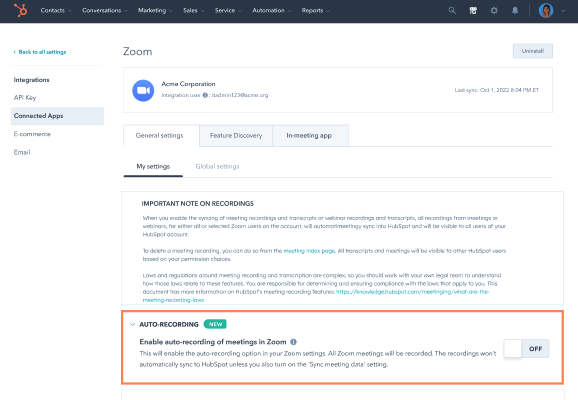
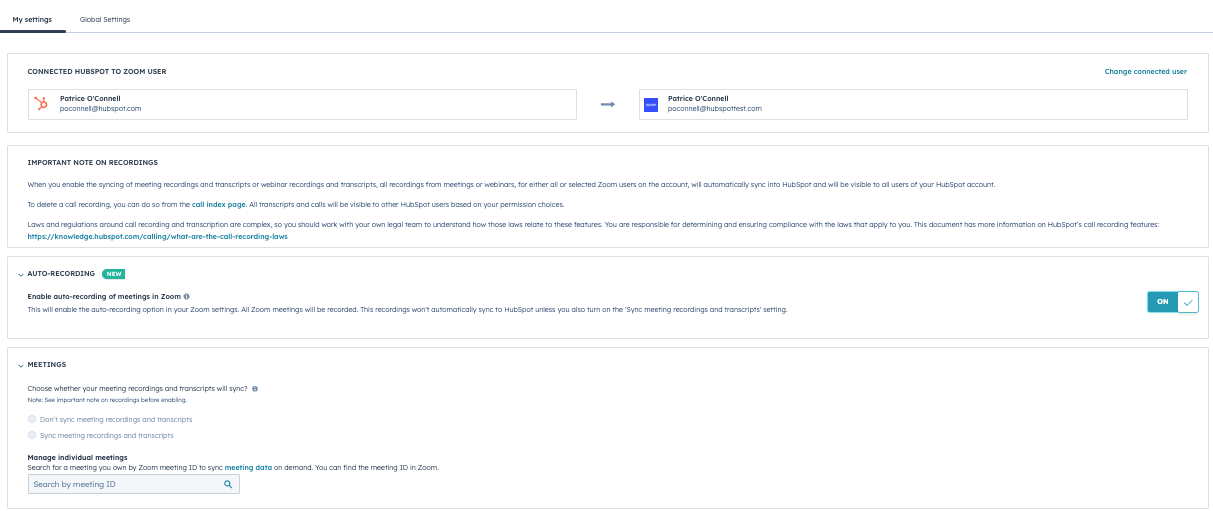
Go to Connect Apps > Zoom > Zoom Integration Settings > My Settings
Please ensure to review the “IMPORTANT NOTE ON RECORDINGS” before switching on the “Enable auto-recording of meeting in Zoom”
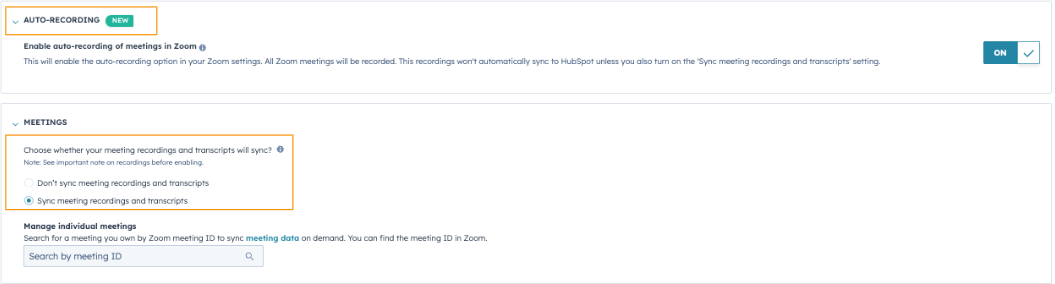
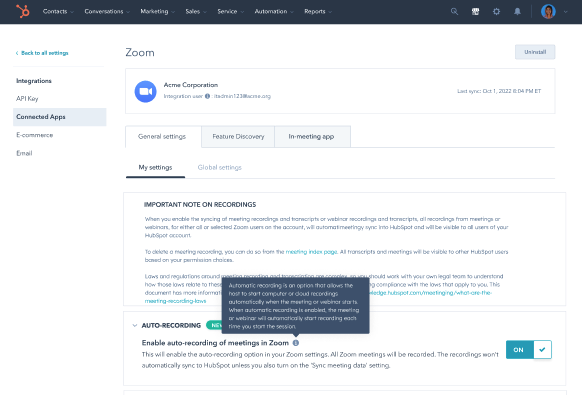
Here you will see the new setting: “Enable Auto-Recording of Meeting in Zoom” - by enabling this setting, you are allowing HubSpot to switch on 'automatic-recording' in your Zoom account settings on your behalf. Once enabled, all your Zoom meetings will automatically be recorded to your Zoom Account.
Combined with the Meetings Sync setting enabled in HubSpot, you will be able to ensure all your Zoom Meeting recording & transcripts are effectively synced to HubSpot.
Please note that 'auto-sync' alone will not sync your meeting data to HubSpot, it works together with the meeting sync settings on your integration settings page.
Combined with the Meetings Sync setting enabled in HubSpot, you will ensure all your Zoom meeting recording & transcripts effectively sync to HubSpot.
Please note that 'auto-sync' alone will not sync your meeting data to HubSpot, it works together with the meeting sync settings on your integration settings page.
Once enabled, all your Zoom meetings will automatically be recorded and stored in your Zoom account.
You will be able to see this information on the call object record created for this meeting in your HubSpot account and utilize the Meeting Assistant in the Sales Workspace to get the best from your meeting data with HubSpot feature and capabilities.
Who gets it?
Available to customers in all hubs and tiers using the Zoom app for HubSpot - please share your feedback here.