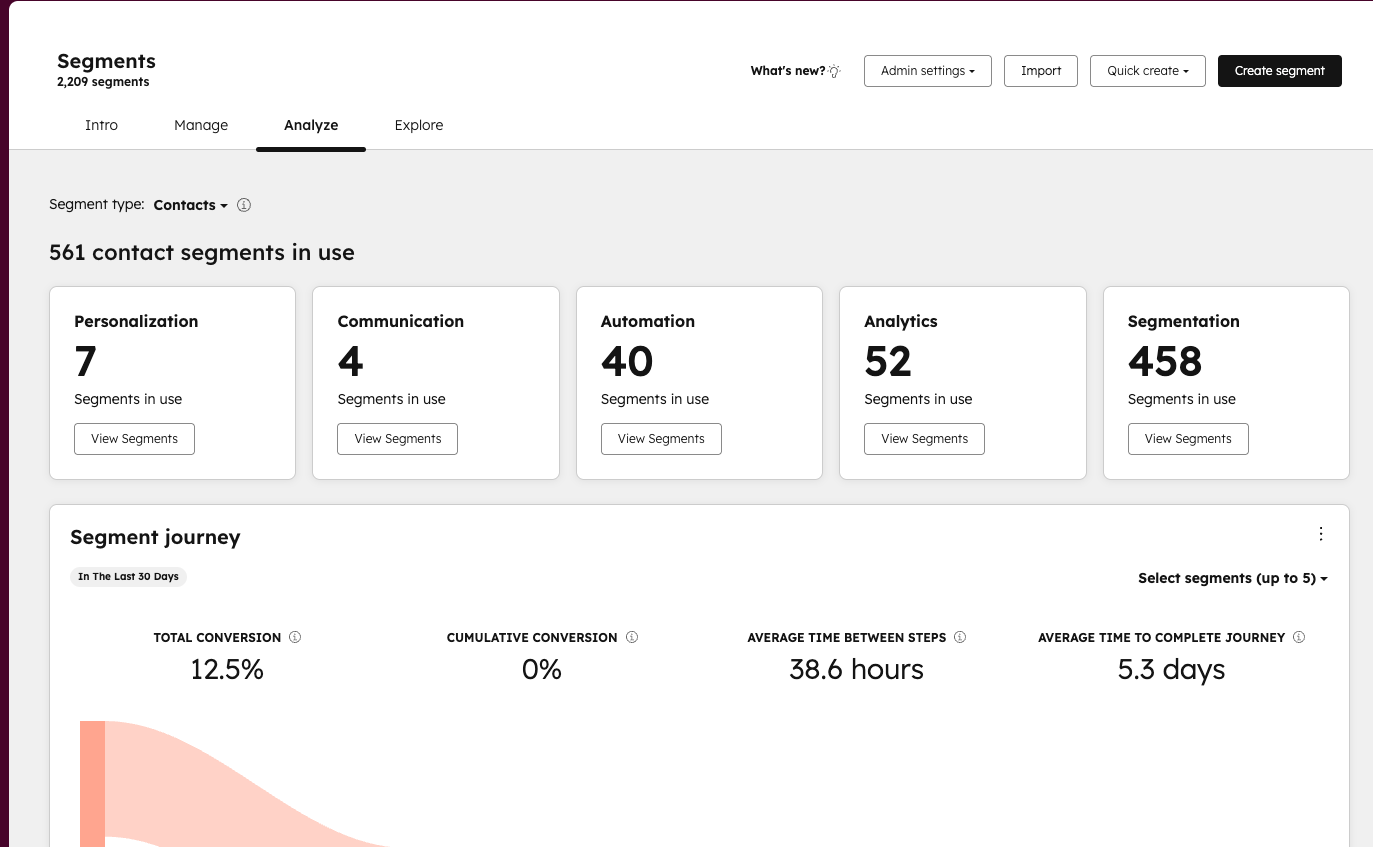
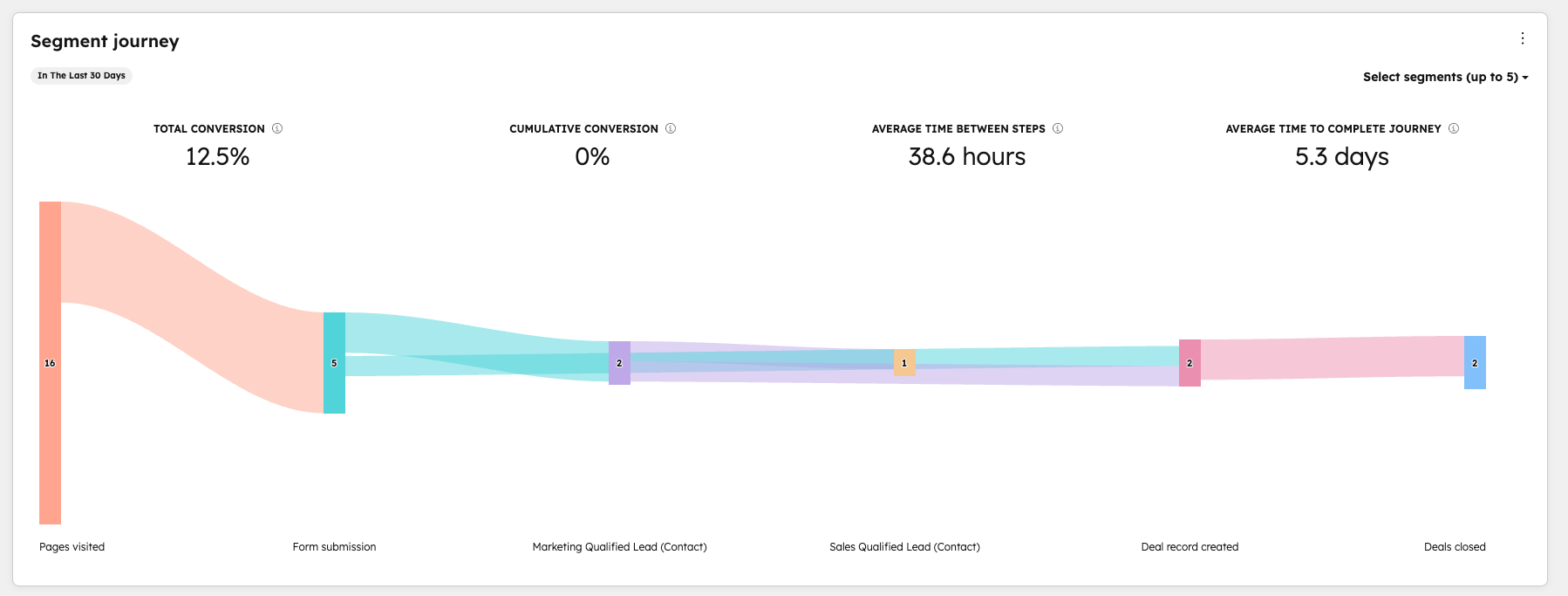
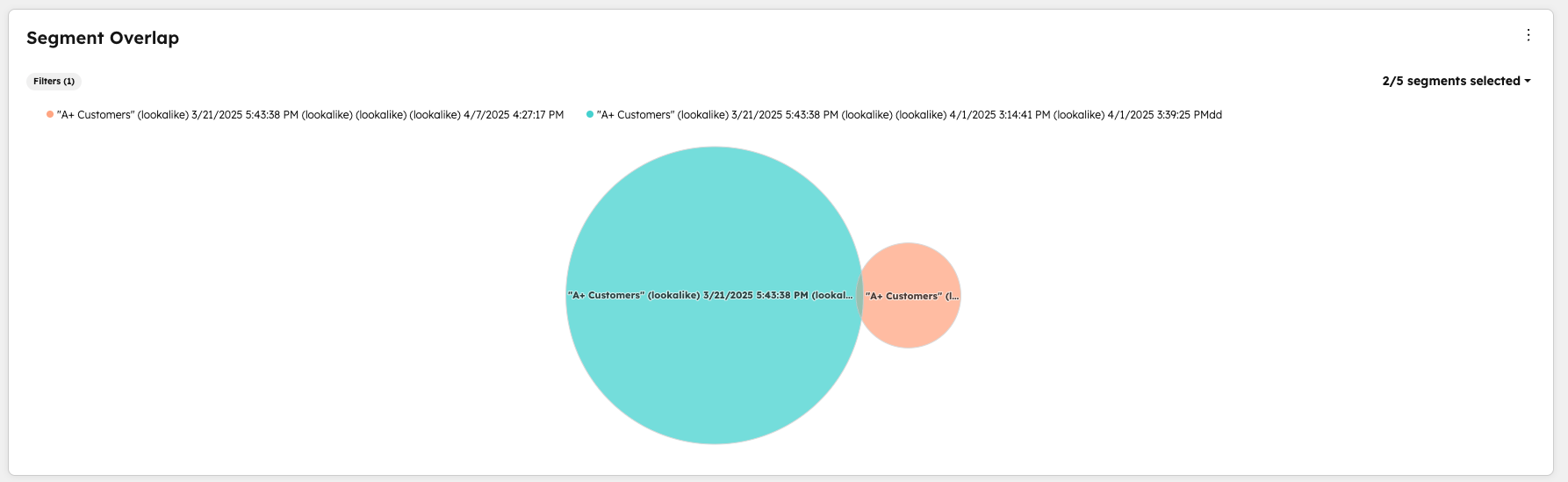
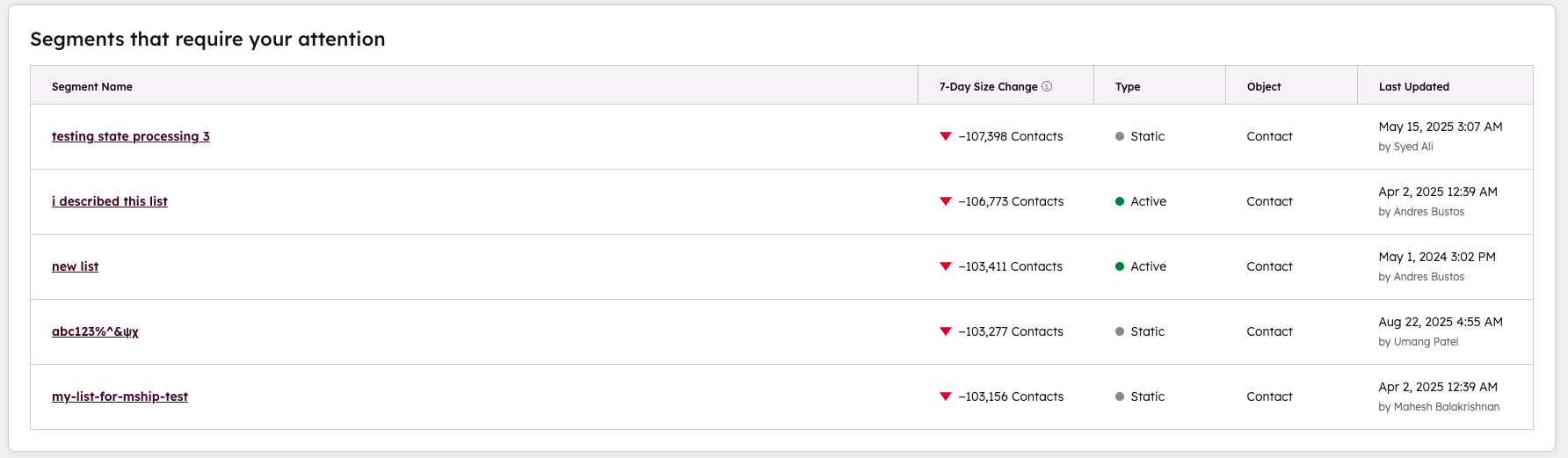
The Analyze tab in Segments (previously Lists) provides insight into how your segments are used across channels, how segments are progressing through the buying journey, what overlap exists between segments, and which segments require attention.
Why does it matter?
Replace the guesswork of understanding segment performance across channels with data-driven insights in with the Analyze tab in Segments. Prior to this release, it was difficult to understand how your segmentation strategy was working; most likely, you were stitching together data from multiple sources in HubSpot. With the Analyze tab in Segments, you can confidently double down on what’s working, optimize underperforming segments, and make smarter decisions on where to invest your marketing budget.
How does it work?
1. Navigate to CRM → Segments (Lists) → Analyze
2. See how your segments are currently being used across HubSpot tools
3. Understand how your segments are progressing through the buying journey from visiting your website to becoming a customer*.
4. Assess how segments overlap so you can ensure the right message is being delivered to the right people.
5. Understand which segments require attention based on significant changes in size
Who gets it?
All hubs and tiers.
*The customer journey report is available to Professional and Enterprise only.