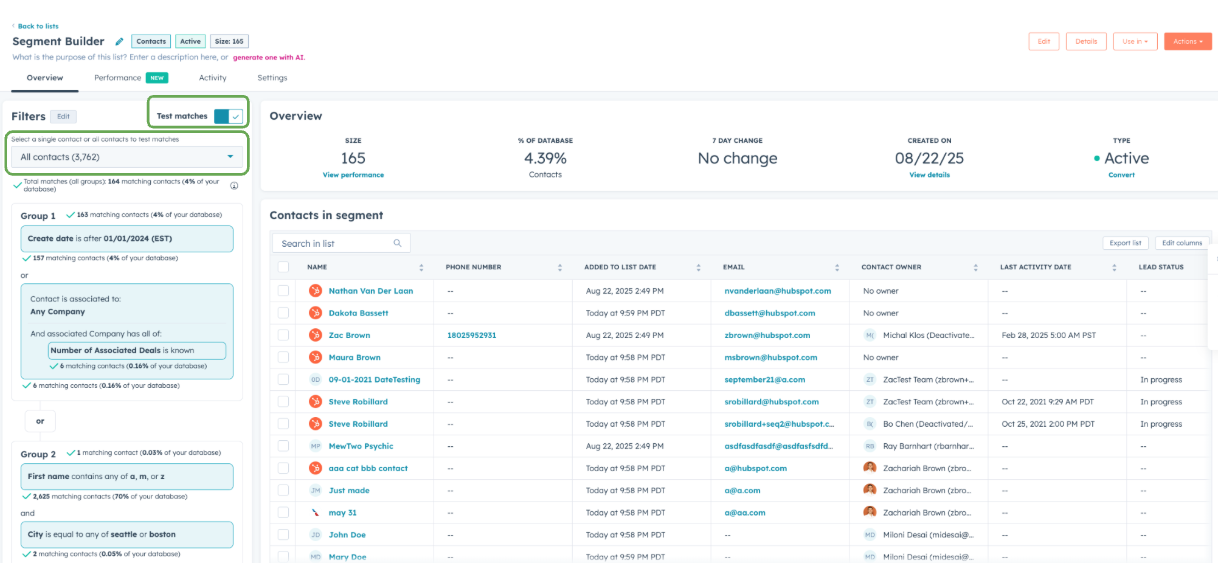
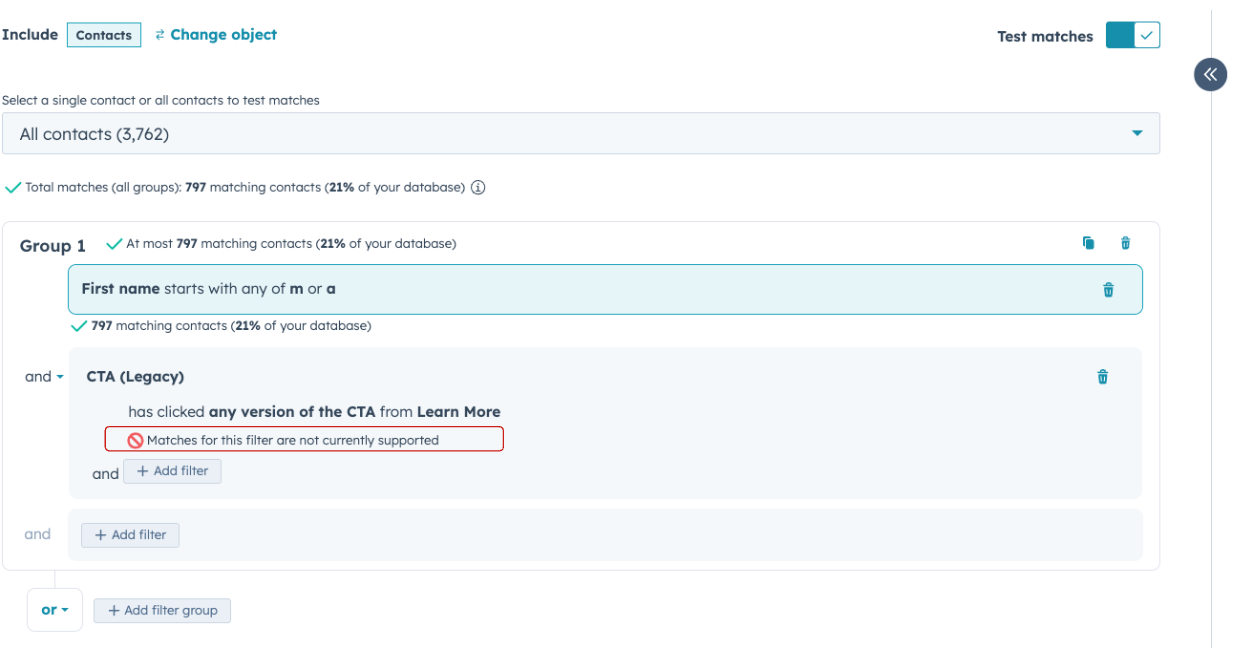
For the first time, you can see exactly how each filter shapes your segment as you build it.
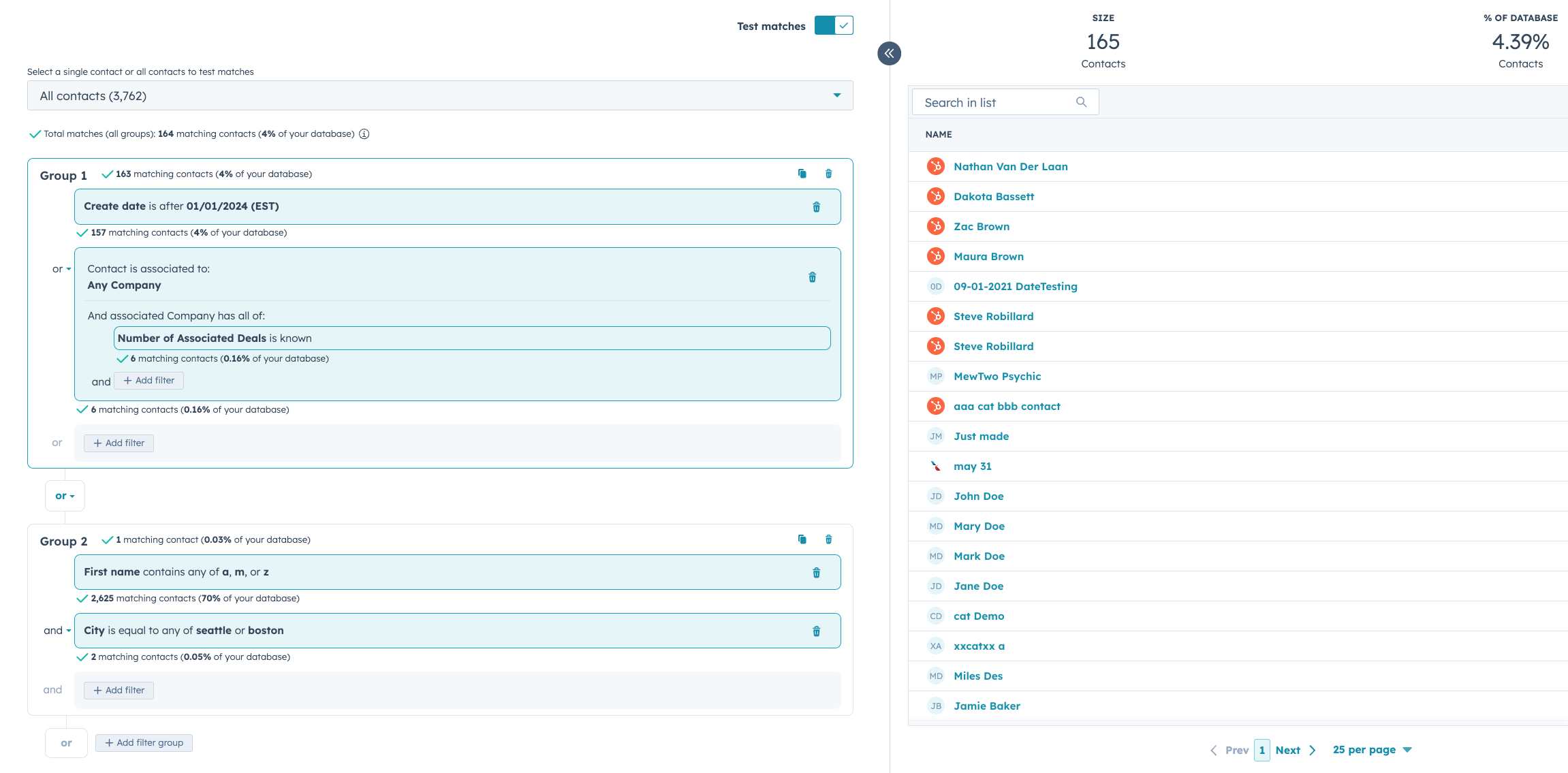
We’re introducing Granular Filter Insights to the segment-building experience, providing you with real-time visibility into how each filter influences your total audience size. As you create or refine a segment, whether you’re adding a single filter or combining multiple, you will now be able to see exactly:
How many records match at each step
Which filters are expanding or narrowing your audience
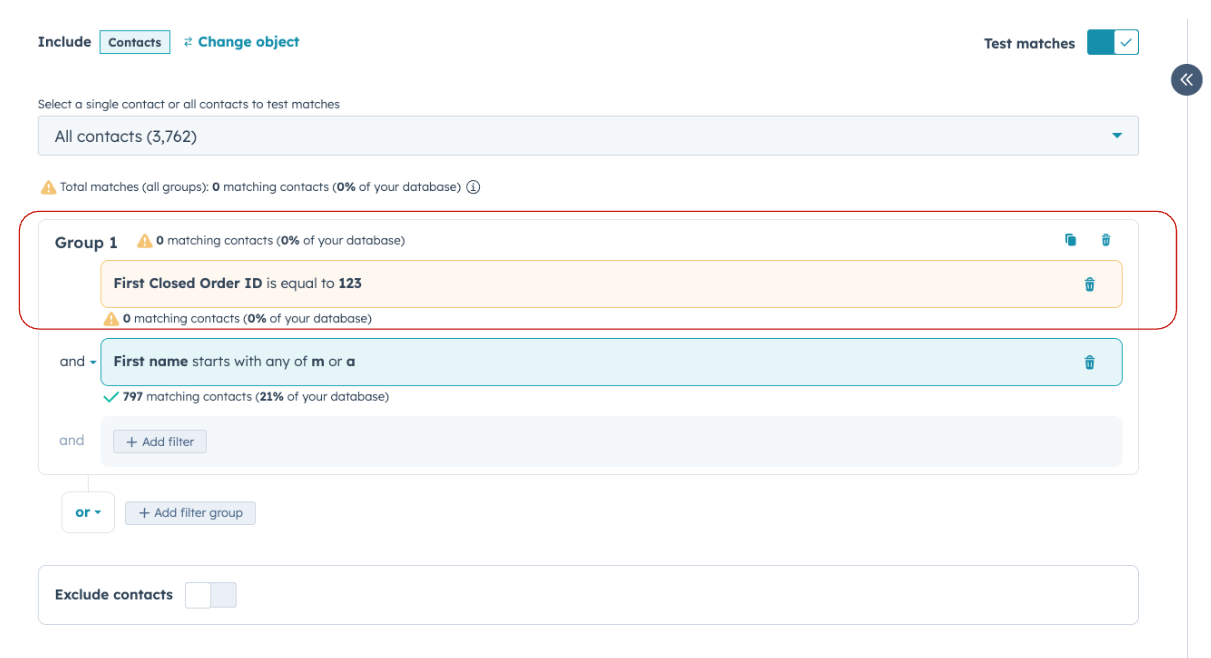
Whether a filter has no effect at all (clearly flagged at 0 matches)
With this added transparency, you can build smarter, more accurate segments without the guesswork. Understand how each filter impacts your total segment by understanding which part of your total population meets each filter's criteria.
Why does it matter?
Until now, building complex segments often involved trial and error: you’d add filters, save the list, and then see if your results matched expectations. This made it difficult to determine which filters were beneficial, which were detrimental, and which had no effect at all.
Granular Filter Insights changes that by providing real-time feedback as you build. You’ll be able to:
Test your filters regularly to prevent wasted effort.
Spot issues instantly when filters don’t behave as expected.
Fine-tune segments with precision, ensuring your audience is exactly what you need.
The result: faster, more confident segment building and better outcomes when you put those segments into action
How does it work?
When building or editing a segment:
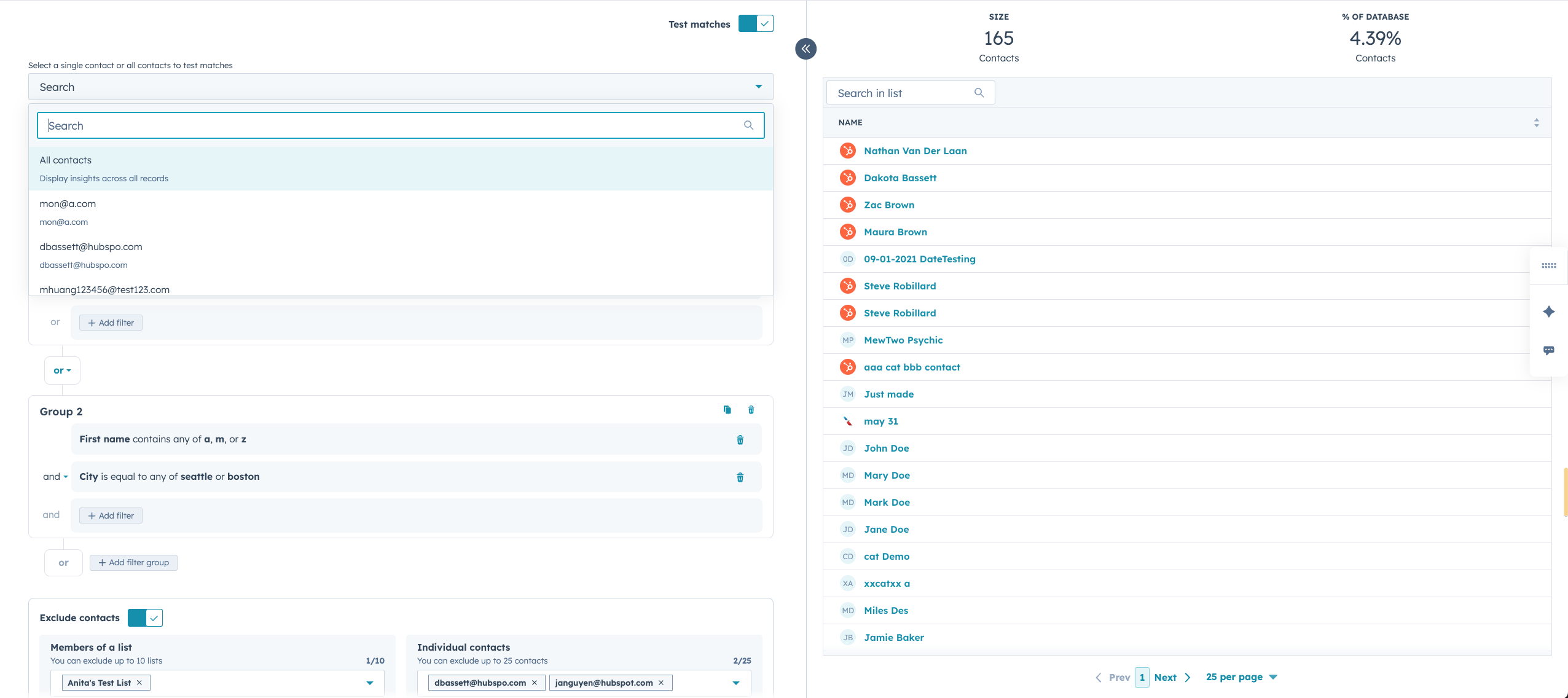
Toggle on “Test Matches” and select "All Records." This activates real-time insights for your filters.
View counts per filter/group. See how many contacts match each condition, broken down by branch or group.
Spot issues instantly. Filters with zero matches are flagged with a warning.
Drill in as needed. Use snapshots and percentage breakdowns to validate your logic before finalizing.
Note:This feature is only available with the new segment builder experience (get access here: gate)Note: Certain filter types are not supported for insights, so counts for those branches will not be added to your group level totals.